Workflow Automation & Solution Engineering
Designing, building and deploying automation solutions across commercial training, higher education and third-sector environments.
PL-200: Power Platform Functional Consultant Associate · Power Automate · Azure Logic Apps · Zapier · API integrations · SharePoint · Moodle · Arlo TMS
 Power Automate
 Power Platform
 Azure Logic Apps
 Zapier
 SharePoint
 Moodle
 Power Apps
 SurveyMonkey
 Teams
Teams
 OpenAI connector
 Arlo TMS
 REST APIs
 JSON / HTTP
 WebHooks
 OAuth
OAuth
 HubSpot
 IFTTT
IFTTT
 SendGrid
 Postman
 Swagger
Overview
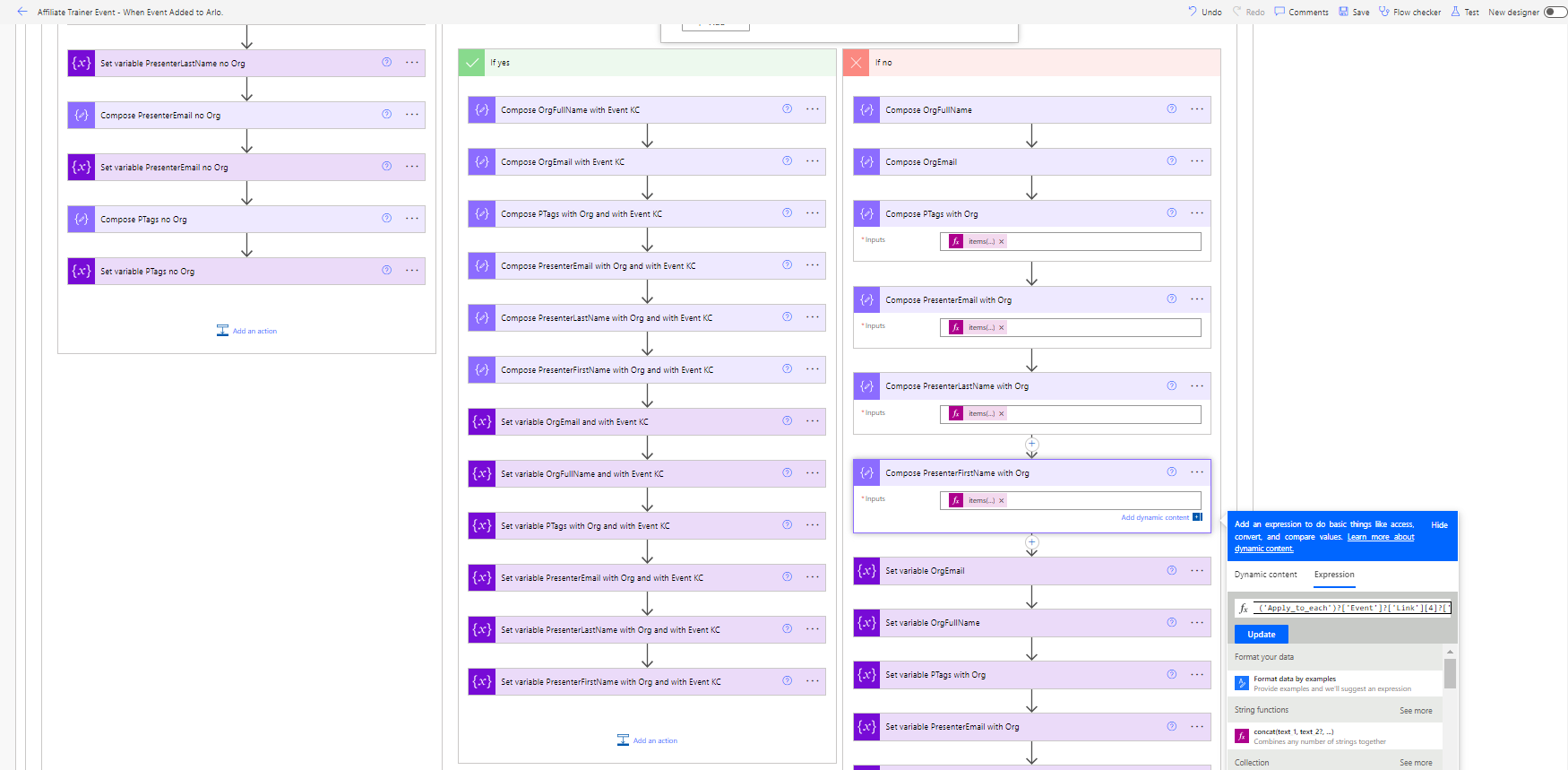
Automation work spans the full lifecycle: scope the problem → design the workflow → select tooling → build and test → deploy with training → evaluate. Projects have ranged from 24-step multi-branch admin flows to API integrations between enterprise platforms.
IKON Training Digital Transformation
Designing and deploying a fully integrated Training Management System - Oct 2022 to Apr 2023
Challenge: IKON Training had no integrated digital infrastructure for bookings, learner registration, event communications, or post-course reporting - all administration was manual. Brief: design and build a fully integrated TMS - including a Moodle LMS built from scratch as the learning layer - in six months, as sole internal technical lead with no external developers or contractors.
Outcome: A live, integrated ecosystem - Arlo TMS, Moodle LMS, SurveyMonkey, Power Automate and SharePoint connected to eliminate data silos and automate the full delegate lifecycle. Delegates booked via Arlo, received automated pre-course communications, were provisioned directly into Moodle on attendance, and triggered post-course feedback via SurveyMonkey - all without admin team intervention. All production flows migrated from Azure Logic Apps to Power Automate before handover, with full documentation.
Digital Development Strategy
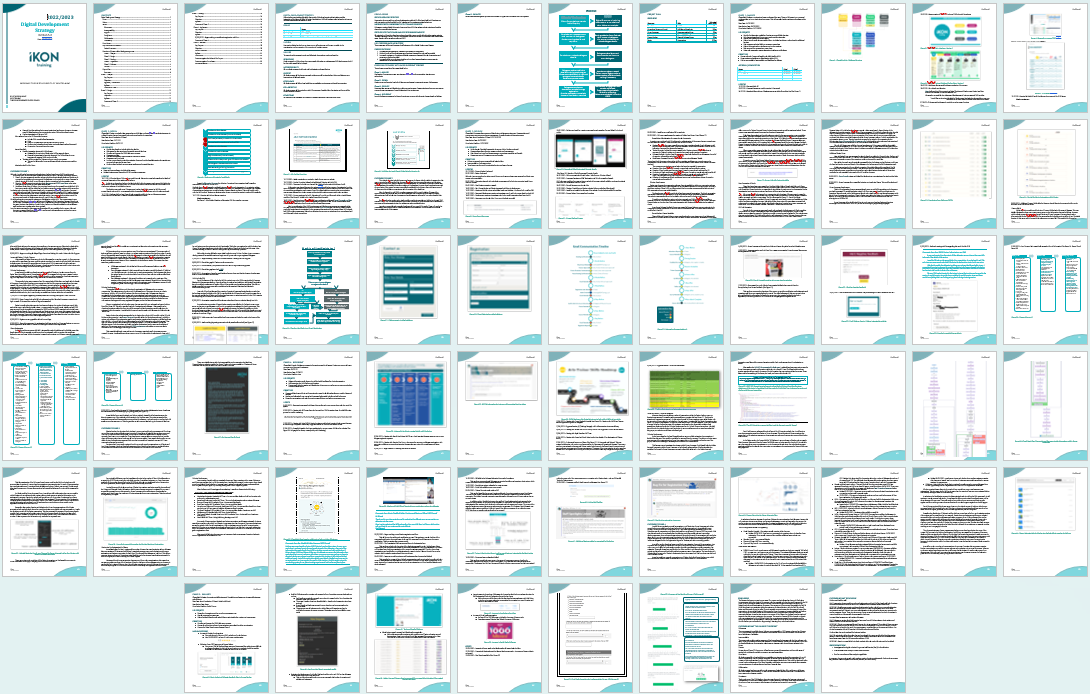
The ADDIE-structured DDS - gave all stakeholders a clear picture of each phase and deliverables.
Course Communication Map
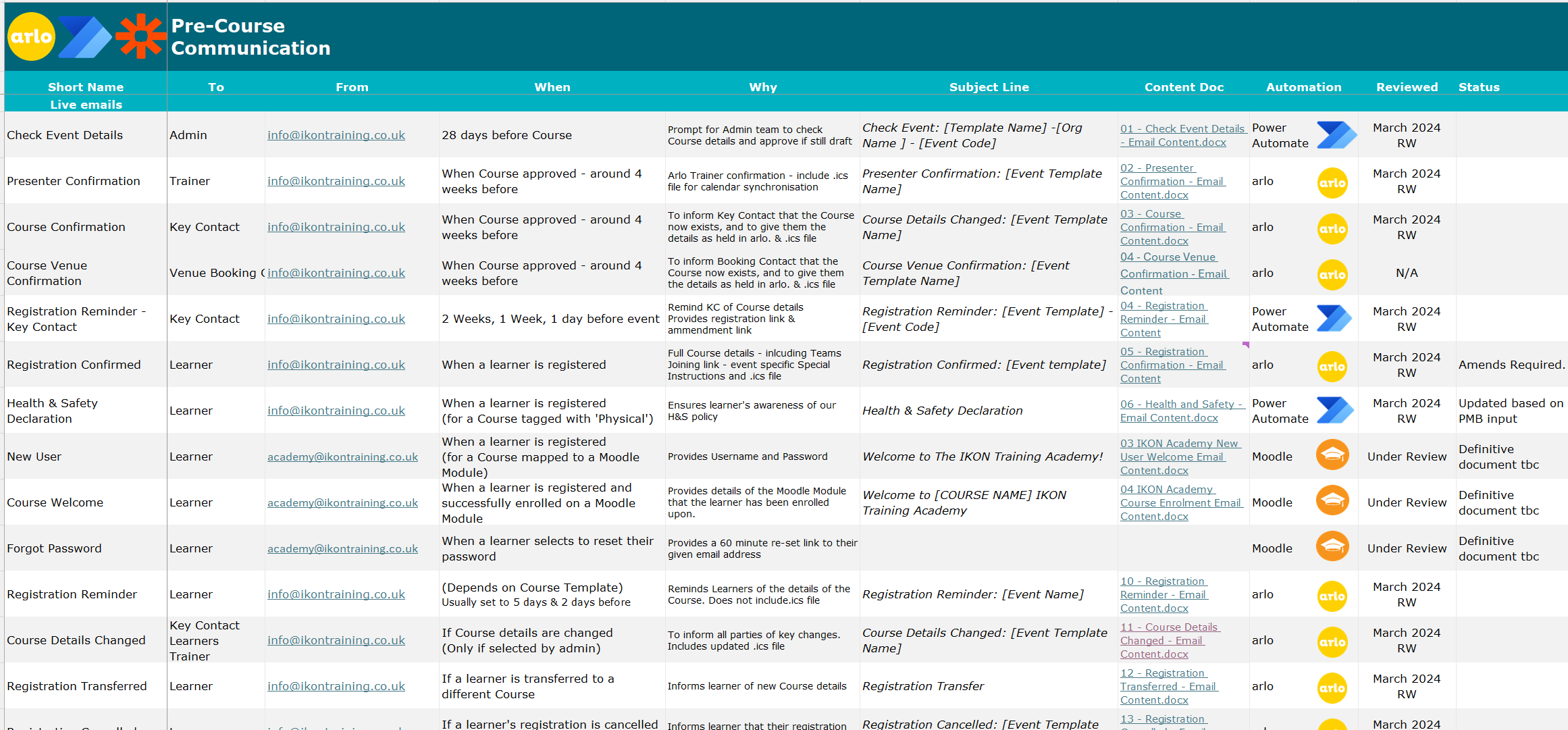
When communications sent, to whom, from which platform - for stakeholders without system access.
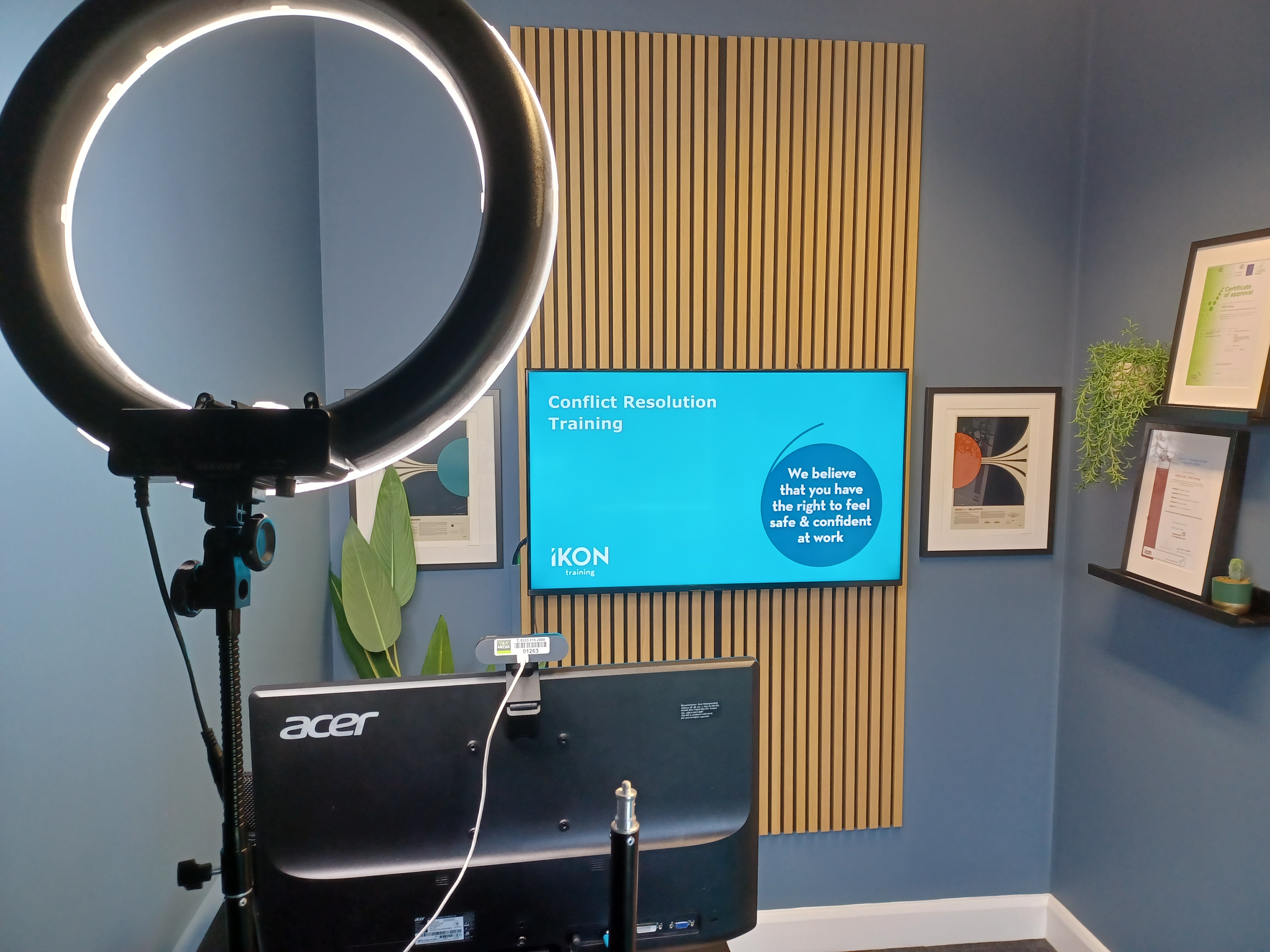
The IKON Training online delivery studio - built alongside the new TMS.
Build approach
After stakeholder interviews, surveys and workshops with trainers, administrators and the Operations Director, Arlo was selected as the core TMS platform after evaluating options against cost-per-learner, scalability and integration capability. Alongside this, I led the replacement HubSpot CRM implementation and integration at IKON, connecting it to the wider ecosystem. The integration pipeline was initially built as two 24-step Zapier automations, then migrated to Power Automate after tracking Zapier's one-month timeout limitation (which caused events booked more than a month ahead to fail) systematically over six weeks. Azure Logic Apps was also evaluated - faster to prototype, better error messages - but its per-execution pricing made it unsuitable for high-frequency operational flows. Custom HTTP connector and JSON parser flows were built to reach Arlo's API directly where standard connectors were insufficient, including automated Moodle enrolment on delegate attendance. I tested and built against the Arlo REST API using Postman, working from its Swagger documentation.
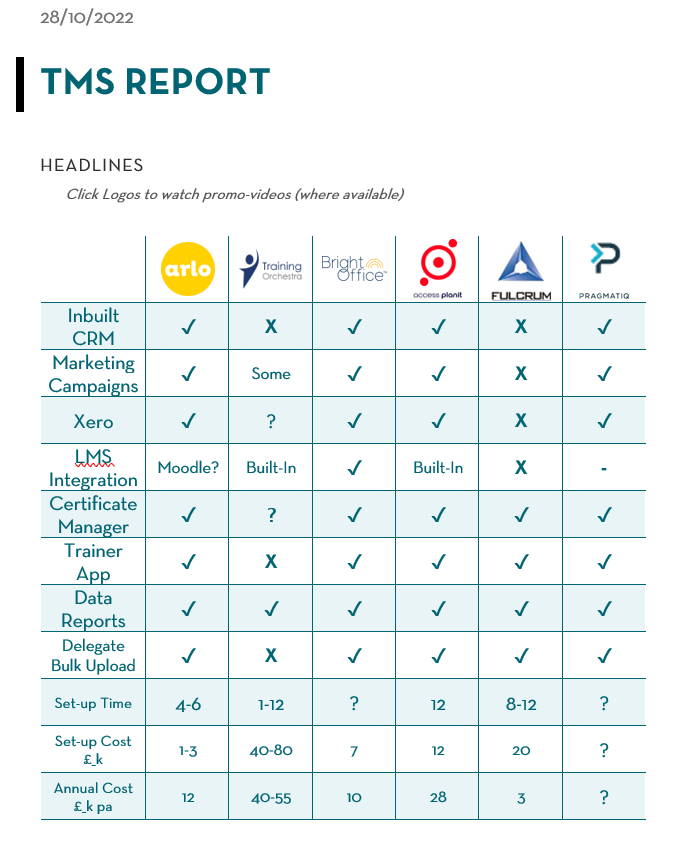
TMS comparison matrix - features, costs and integration potential.
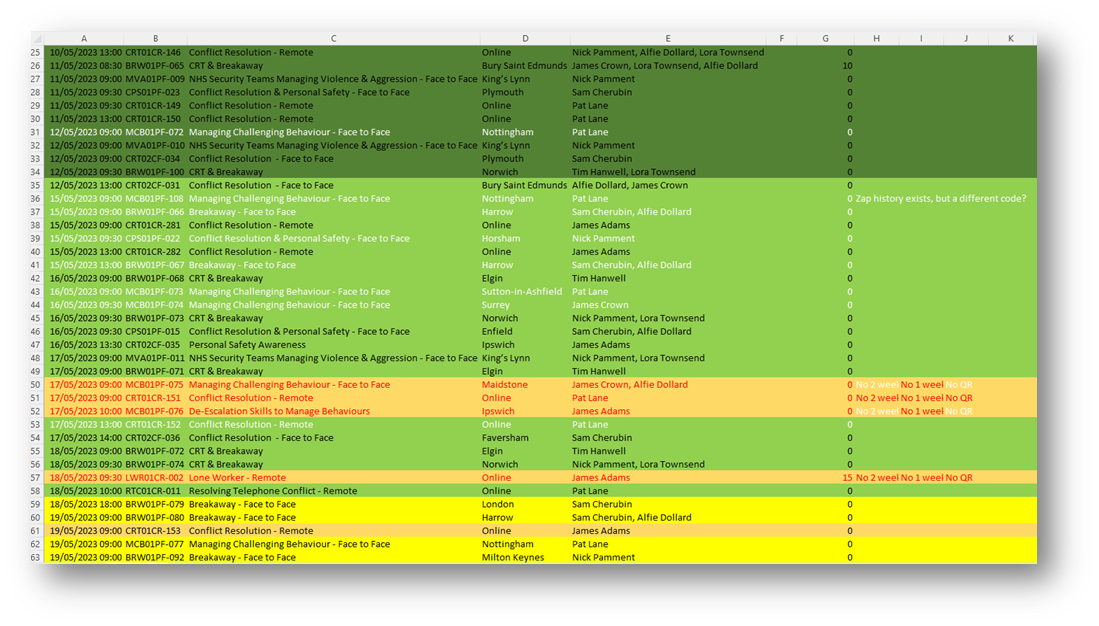
The evidence base that justified the move to Power Automate.
"We have seen many benefits of using IKON Training's new booking system. It saves me so much time: I no longer have to forward emails to each of our delegates - they get all the information they need directly from IKON, up to date, accurate, and with notifications if things change… I get all the registration details, event details, feedback, and more sent to me automatically so I can monitor the quality of the training."
Platform Comparison
Zapier
Good for quick prototyping. Fails at scale: one-month timeout kills forward-booked events, can't write to SharePoint, limited branching, rising per-automation costs.
Power Automate ✓
Right long-term choice for M365 environments. Included in existing licensing, no time limits, native SharePoint, complex branching, Teams approvals. Now the primary platform for all flows.
Azure Logic Apps
Faster to prototype, better debugging. Per-execution pricing is unpredictable at volume - unsuitable as the operational backbone. Best for high-complexity sub-flows or prototype builds.
UCL Research & Innovation Services - Workflow Automation Support
Ongoing - Power Automate · Worktribe · Harmon.ie · SharePoint
In progressI am supporting a colleague in UCL Research & Innovation Services to streamline automation around Worktribe (UCL's research management system) and Harmon.ie (SharePoint and Outlook integration) - connecting disparate tools to avoid duplicate data entry and keep records consistent across platforms. Awaiting permission to name the collaborators.
Teaching Automation: Supporting UCL Staff to Build Their Own Flows
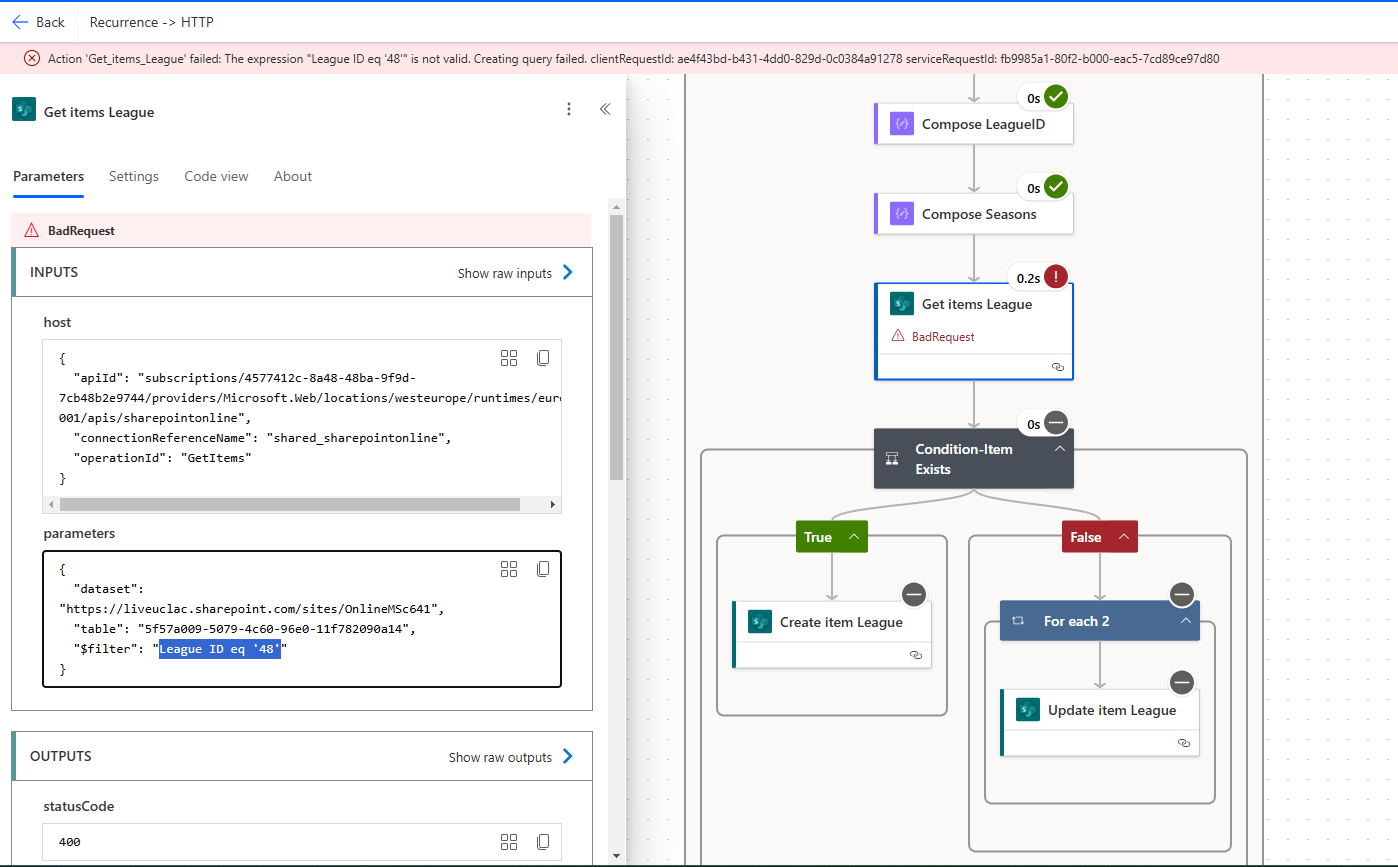
Beyond building automations directly, a significant part of the UCL role involves helping professional and academic staff build their own Power Automate capabilities - reducing dependency on a single developer and building institutional capacity. Sessions move from simple single-step notifications to multi-step flows with conditions and approvals.
For the data and reporting side, see Data, Analytics & Reporting. For the AI integration strand, see AI for Learning & Assessment.